


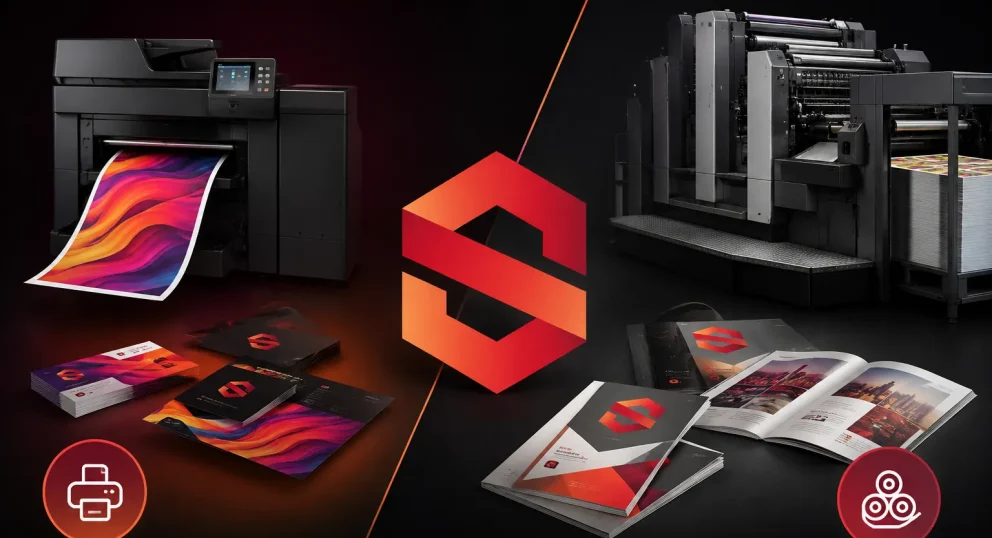

The difference between digital and offset printing isn’t just a technical distinction between two methods, it’s a decision that directly affects your project’s cost, output quality, and turnaround time.
In many cases, a printing method gets chosen based on price or speed alone, without fully understanding its impact on the final result. That leads to either overpaying or receiving quality that doesn’t reflect the level of the work.
Imagine you need to print 5,000 brochures for an important exhibition. Choosing digital printing could cost you significantly more than necessary, while choosing offset for a small quantity could double your budget for no good reason.
The problem isn’t the printing, it’s the decision.
In this guide, you’ll understand the real difference between digital and offset printing, and when to choose each based on quantity, cost, and output quality, through clear, practical points: when to use each method, how quantity affects price, where quality differences actually show up, and which decision saves you money while delivering the best result.
Why Understanding the Difference Is an Investment Decision, Not Just Technical Knowledge
The reason is simple: each technology is designed for a completely different scenario. Choosing the right one means paying for the value you actually need. The wrong choice means either overpaying or getting less than expected.
For example, printing a large quantity digitally may seem faster at first, but it’s typically far more expensive per copy, inflating the total budget unnecessarily. Conversely, using offset for small quantities adds setup costs that make the project uneconomical from the start.
It goes beyond cost. Some projects, like catalogs or image-heavy marketing materials, require color accuracy that only certain technologies can deliver. Others have turnaround time as the primary concern.
Understanding the differences between digital and offset printing helps you reduce total project cost, choose quality that’s appropriate for your actual objective, avoid reprints due to unsatisfactory results, and plan quantities and delivery more precisely.
The question isn’t “which printing type should I use?”, it’s “how do I achieve the best result at the lowest possible cost?”
What Is Digital Printing?
Digital printing transfers the digital file directly to the printer, no printing plates, no setup, no waiting. The file goes from the computer to the machine and printing begins immediately.
In simpler terms, it’s closest to the concept of an office printer, but at a higher industrial level in terms of speed, quality, and production capacity.
How Digital Printing Works
The process sends the design file, such as a PDF or JPG, directly to the printing machine.
Laser printers use electric charges to attract toner powder and fix it to paper with heat. Fast and color-consistent. Inkjet printers spray microscopic droplets of liquid ink onto paper with micrometric precision. Better for smooth color gradients and photographic image quality.
In both cases, there’s no setup time, printing begins within minutes.
Advantages of Digital Printing
Exceptional speed: virtually no setup time. Small print runs are completed in hours, sometimes the same day. No other technology comes close to this.
Low cost for small quantities: no setup costs, no printing plates, the per-copy cost is fixed whether you print one copy or a hundred. This makes it the most economical choice for anything under 500 to 1,000 copies.
Variable Data Printing (VDP): each printed copy can contain different information — the customer’s name, number, personal code, without stopping the machine. Impossible to achieve with offset.
Quantity flexibility: print 10 copies or 500 with equal efficiency, with no minimum quantity requirement.
Proofs and samples: before investing in offset plates, digital lets you print a real sample for review and approval.
Disadvantages of Digital Printing
Higher cost for large quantities: the per-copy cost doesn’t decrease as quantity increases. At 5,000 copies, you’re paying five times what offset would cost.
Material limitations: challenges arise with very heavy paper (above 350 gsm) and some specialty textured stocks.
Lower Pantone color accuracy: it relies on CMYK to simulate colors, which is very good but doesn’t guarantee an exact match to the specific Pantone colors defined for your brand identity.
What Is Offset Printing?
Offset printing is the gold standard for high-quality commercial printing at large volumes, and for very good reason.
It relies on metal printing plates (zinc plates) that transfer ink through a rubber cylinder onto the paper. The name “offset” comes from the fact that ink doesn’t transfer directly from the plate to the paper, and that intermediate step is the secret behind its exceptional quality.
How an Offset Machine Works
The process moves through several precise stages: creating metal printing plates, one for each CMYK color plus any additional Pantone colors; mounting the plates on the machine’s cylinders and calibrating colors precisely; the plate attracting ink in image areas and repelling water in blank areas; and the image transferring from the plate to the rubber blanket, then onto the paper.
This initial setup is what drives the higher starting cost, but it’s also what causes the per-copy cost to drop dramatically as quantity increases.
Advantages of Offset Printing
Unmatched superior quality: sharp images, razor-clear text, and color uniformity across large areas that no other technology can replicate.
Absolute Pantone color accuracy: your logo color defined by a specific Pantone code? Offset prints it with 100% consistency across every copy and every production run, regardless of quantity.
Per-copy cost drops with quantity: the more you print, the lower the unit cost becomes. At 10,000 copies, the per-unit cost is a fraction of what digital would cost.
Exceptional material flexibility: works on all paper types, light and heavy, textured, cardboard, thin plastic, and even metal sheets.
Disadvantages of Offset Printing
Initial setup cost: the cost of creating zinc plates and setting up the machine makes it uneconomical for small quantities, this cost is fixed regardless of how many copies you print.
Longer turnaround time: setup, printing, ink drying, finishing, the process is measured in days, not hours.
Difficult to change after starting: a design error discovered after printing has begun means new plates and additional costs. Reviewing the proof before approval is a necessity, not an option.
No variable printing: the plate is fixed, it’s impossible to print different information between copies.
Digital vs. Offset: A Comprehensive Comparison
Quality
Offset still leads in absolute quality, particularly for color uniformity across large areas and complex photographic images. But modern digital printing has reached a level where non-specialists won’t notice a difference in most commercial print jobs.
The bottom line: for standard print materials, no perceptible difference. For premium print and products with large color areas, offset wins.
Cost
This is where the fundamental gap lies.
Digital: fixed per-copy cost that doesn’t rise or fall with quantity changes. Offset: high fixed setup cost + very low per-copy cost that decreases as quantity grows.
The crossover point: at 500 to 1,000 copies, offset begins to become more economical, and as quantity increases the gap widens in its favor.
The core rule: small quantity → digital. Large quantity → offset.
Speed
Digital: hours, sometimes minutes for very small quantities. Offset: days, from setup through drying to finishing.
Bottom line: if time is a critical factor → digital is the faster choice.
Color Accuracy Digital: CMYK, very good but simulates Pantone rather than matching it. Offset: CMYK + Pantone, 100% match with any specified color.
Bottom line: if your brand color is critical to your visual identity, there’s no substitute for offset.
Flexibility Digital: allows content to change between copies (VDP). Offset: fixed design across all copies.
If you need to personalize each copy → digital is the only solution.
Comparison Table
| Criteria | Digital | Offset |
| Quality | High | Higher |
| Cost | Higher for large quantities | Lower for large quantities |
| Speed | Very fast | Slower |
| Quantity | Small | Large |
| Colors | CMYK | CMYK + Pantone |
| Flexibility | High | Limited |
When to Choose Digital Printing
Digital is the best solution when speed and flexibility matter more than anything else.
Ideal use cases: quantities from 1 to 500 copies, fast turnaround needed (same day or within hours), continuous design or data changes, personalization required for each copy (names, codes, variable data), proofs or samples before a larger production run.
Practical examples: 100 booklets for a workshop, business cards, menus that change frequently, personalized event invitations.
Expert insight: Digital is the smartest way to test a new market. Print 200 copies, test them, and if they work, move to offset at large quantities with confidence.
When to Choose Offset Printing
Choose offset when your priorities are superior quality, precise color matching, and large quantities.
Ideal use cases: quantities above 1,000 copies, very high image and color quality required, Pantone color accuracy needed, large-scale marketing projects, printing on varied or heavy materials.
Practical examples: company catalogs, marketing campaign brochures, books and magazines, product packaging and wrapping.
Expert insight: The larger your quantity, the wider the gap in offset’s favor. At 50,000 copies, the per-copy cost with offset can be one-tenth of what it would be digitally.
Practical Questions to Answer Before Deciding
Before contacting any printer, answer these questions:
How many copies do you need? Under 500 = digital, definitely. 500 to 1,000 = calculate the cost for both. Over 1,000 = offset is usually more economical.
How much time do you have? Under 48 hours = digital only. A week or more = either option works.
Is your brand color critical? Yes and you need Pantone = offset. No and general quality is sufficient = digital works fine.
Will each copy carry different information? Yes = digital is the only solution. No = either option based on the other criteria.
What’s your budget? Calculate the total cost for each technology based on your quantity, the number will give you the answer.
Common Mistakes When Choosing a Printing Technology
Choosing digital for everything assuming it’s the most modern: modernity doesn’t mean most suitable. Digital for large quantities is far more expensive than offset, regardless of how advanced the technology is.
Choosing offset for small quantities to save money: plate and setup costs will make 100 copies offset dozens of times more expensive than digital.
Skipping the proof before large quantities: print a digital sample and review it before starting a large offset run. The proof cost is nothing compared to reprinting 10,000 copies.
Not specifying the color system upfront: “print it red” isn’t a clear instruction. Define the exact Pantone code or CMYK values before printing.
Choosing the technology before determining quantity: quantity is the first decision, technology follows it, not the other way around.
Comparing by total price only: always compare cost per copy, not just the total amount. A higher total with a larger quantity may actually be more economical.
Frequently Asked Questions
I want to print 100 booklets, digital or offset?
Digital, without hesitation. No setup costs, fast turnaround, and significantly lower total cost. Offset only becomes economical above 500 to 1,000 copies.
Does offset give more accurate colors?
Yes. Offset supports pre-mixed Pantone inks and guarantees 100% color consistency across all copies and production runs. Digital uses CMYK to simulate colors, excellent, but doesn’t guarantee an exact Pantone match.
What’s the difference in turnaround time?
Digital: hours to one day for small quantities. Offset: days to a week between setup, printing, drying, and finishing.
Is digital suitable for product packaging?
For proofs and very small quantities, yes. For large-scale commercial production, offset dominates due to quality and lower per-unit cost at volume.
Can offset print on materials other than paper?
Yes, thick cardboard, plastic (PVC), thin metal sheets, and various other materials. Material flexibility is a major advantage of offset.
Can variable data be printed with offset?
No. The plate is fixed and information cannot change between copies. Variable Data Printing (VDP) is exclusive to digital.
Conclusion: There’s No “Better”, There’s “More Suitable”
Digital and offset printing aren’t competitors, they’re two different tools for different purposes. Intelligence lies in knowing when to use each one.
If you need speed, small quantity, and personalization: digital is your answer. If you need superior quality, precise colors, and large quantities: offset is your smarter investment.
Working with a specialist makes a real difference because the right decision depends not just on information, but on experience in application.
Al Sweidy Printing doesn’t start with printing, it starts with understanding your project: the quantity needed, the nature of the design, the objective of the printed piece, and the time available. With the latest digital and offset technologies under one roof, the advice is unbiased, you get what’s right for your project, not what’s convenient for their machines.
If you want to choose the right printing method for your project the first time and avoid unnecessary costs or unsuitable quality, send your project details and the team will help you identify the best solution and execute it professionally.
Meta Title: Digital vs Offset Printing | Al Sweidy Printing Experts
Meta Description: Digital vs offset printing affects cost and quality. Learn when to choose each method and how to save money while achieving the best results with Al Sweidy.